DiSkO Imaging Tools
Make round images with your TART data. The DiSkO stands for Discrete Sky Operator imaging. Github Repo Here.
Get some data
See getting data for more details
tart2ms --ms signal1.ms --vis vis_2023-11-13_07_28_34.576476.hdf --rephase obs-midpoint --single-field
You can create an image using the disko command-line tool (pip install disko)
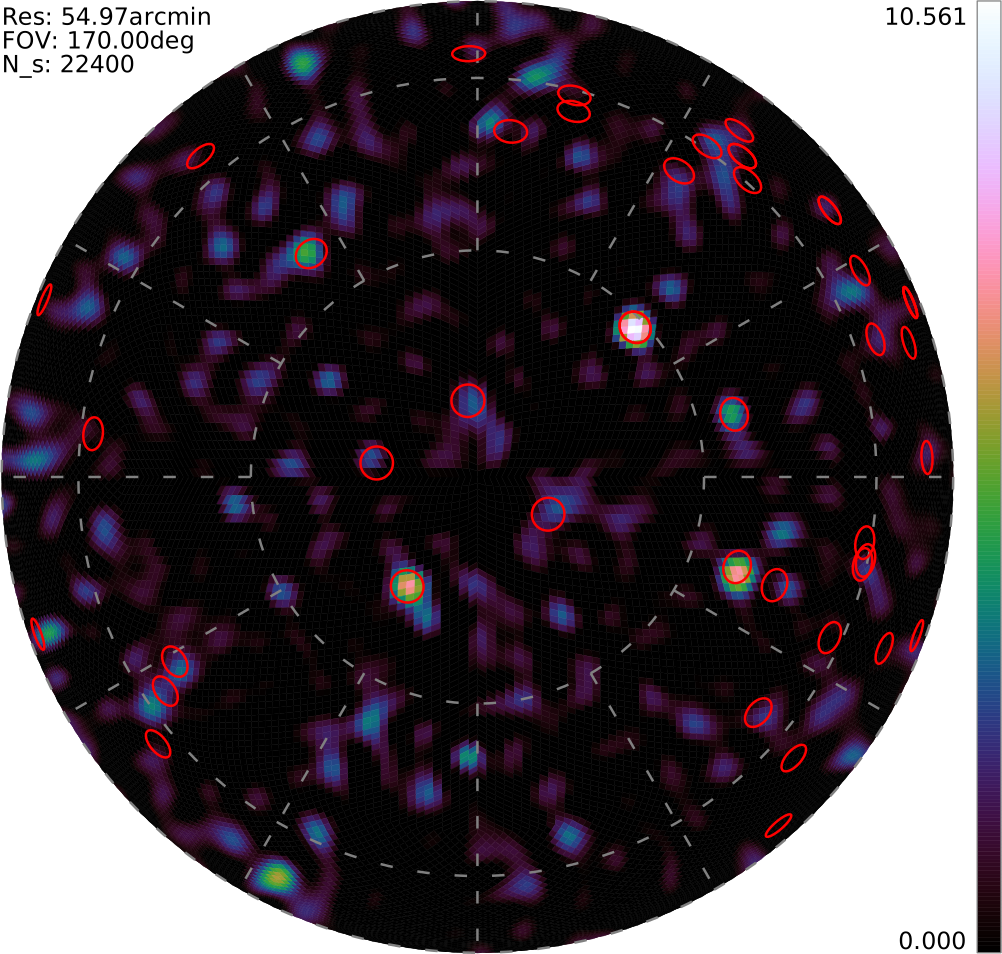
disko --ms signal1.ms --SVG --fov 170deg --res 1deg --lasso --alpha 0.005 --healpix --hdf signal.h5
Image Output Files
Disko can output various formats, but the best is the .hdf5 format. This can be drawn on using the disko_draw command to show sources e.t.c.
disko_draw --show-sources --SVG signal.svg signal.h5
Command Line reference
disko --help

usage: disko [-h] [--fov FOV] [--res RES] [--mesh] [--adaptive ADAPTIVE] [--res-min RES_MIN] [--healpix] [--nside NSIDE] [--file FILE | --ms MS] [--nvis NVIS] [--vis VIS] [--channel CHANNEL]
             [--field FIELD] [--ddid DDID] [--lsqr | --lsmr | --fista | --lasso | --tikhonov] [--matrix-free] [--niter NITER] [--dir DIR] [--alpha ALPHA] [--l1-ratio L1_RATIO] [--show-sources]
             [--title TITLE] [--elevation ELEVATION] [--display] [--PNG] [--PDF] [--SVG] [--HDF HDF] [--VTK] [--FITS] [--cv] [--dask] [--version]

DiSkO: Generate an Discrete Sky Operator Image.

options:
  -h, --help            show this help message and exit
  --fov FOV             Field of view. E.g. 1.3deg, 12", 11', 8uas, 6mas... (default: 180deg)
  --res RES             Maximim Resolution of the sky. E.g. 1.3deg, 12", 11', 8uas, 6mas. (default: 2deg)
  --mesh                Use a non-structured mesh in the image space (default: False)
  --adaptive ADAPTIVE   Use N cycles of adaptive meshing (default: 0)
  --res-min RES_MIN     Highest allowed res of the sky. E.g. 1.3deg, 12", 11', 8uas, 6mas. (default: None)
  --healpix             Use HealPix tiling (default: False)
  --nside NSIDE         Healpix nside parameter for display purposes only. (default: None)
  --file FILE           Snapshot observation saved JSON file (visiblities, positions and more). (default: None)
  --ms MS               visibility file (default: None)
  --nvis NVIS           Number of visibilities to use. (default: 1000)
  --vis VIS             Use a local JSON file containing the visibilities to create the image. (default: None)
  --channel CHANNEL     Use this frequency channel. (default: 0)
  --field FIELD         Use this FIELD_ID from the measurement set. (default: 0)
  --ddid DDID           Use this DDID from the measurement set. (default: 0)
  --lsqr                Use lsqr in matrix-free (default: False)
  --lsmr                Use lsmr in matrix-free (default: False)
  --fista               Use FISTA in matrix-free (default: False)
  --lasso               Use L1 regularization. (default: False)
  --tikhonov            Use L2 regularization. (default: False)
  --matrix-free         Use matrix-free regularization. (default: False)
  --niter NITER         Number of iterations for iterative solutions. (default: 100)
  --dir DIR             Output directory. (default: .)
  --alpha ALPHA         Regularization parameter. (default: None)
  --l1-ratio L1_RATIO   Regularization parameter, ratio of l1 to l2 (1.0 means l1 only). (default: 0.02)
  --show-sources        Show known sources on images (only works on PNG & SVG). (default: False)
  --title TITLE         Prefix the output files. (default: disko)
  --elevation ELEVATION
                        Elevation limit for displaying sources (degrees). (default: 20.0)
  --display             Display Image to the user. (default: False)
  --PNG                 Generate a PNG format image. (default: False)
  --PDF                 Generate a PDF format image. (default: False)
  --SVG                 Generate a SVG format image. (default: False)
  --HDF HDF             Generate a HDF format field of view. (default: None)
  --VTK                 Generate a VTK mesh format image. (default: False)
  --FITS                Generate a FITS format image. (default: False)
  --cv                  Use Cross Validation (default: False)
  --dask                Use dask (default: False)
  --version             Display the current version (default: False)